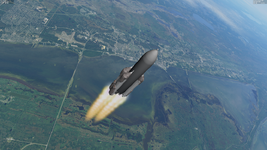
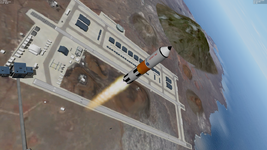
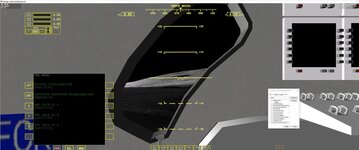
Addon icon

OHM Cargo Deck MFD 5

nbcfrosty

Well-known member
Joined
Jun 16, 2023
Messages
255
Reaction score
279
Points
78
Location
US
nbcfrosty submitted a new addon:

Cargo Deck MFD - a nod to kulch, this is a universal payload manager that doubles as a rocket stage manager

This is the first iteration of Cargo Deck MFD. It is a nod to Kulch for his Univercal Cargo Deck and Payload manager. This
MFD provides similar capabilities but in an MFD form factor.

  • attach cargos/stages to each other using on screen interface
  • children vessel thrust is modeled and projected onto the parent
  • children vessel propellant use/mass loss is modeled and reflected in parent dry mass
  • press shift + Numpad +/- to fire or cut off all children's main engines with...

Read more about this addon...
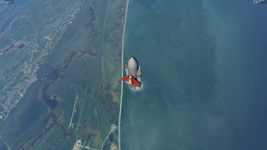
 
You can use this to stick stages together to make stacks. Just becareful with the asymmetric thrust. Below I attached the boosters in the wrong position giving this weird launch orientation.

1690793519544.png
 
I have gutted the Velcro Rockets vessel implementation. All guidance, staging, cvel code is removed. Only thing that's left is the CFG file based configs for thruster definitions and other parameters. This "Velcro Lite" allows Velcro Rockets stages to be spawned using Scenario Editor, and then subsequently be used with the MFD to create stack.

1690873954212.png
 
I forgot to include a very important piece of instruction in the MFD display:
SHIFT + X, Y, Z to change the axis of rotation currently being adjusted.

Basic workflow is:
1. SHIFT + C to begin attaching
2. Adjust rotation with SHIFT+left/right, shift+x, y, or z to change axis of rotation
3. SHIFT + M to change to translation mode, shift+x, y, or z to change translation axis
4. SHIFT + A to hard attach

Appears that Spacecraft dll vessels interfere with the MFD shortcuts, so will have to add buttons to get around this.
 
Hello all. 2 big updates:

1. This MFD now comes with a stage/fairings selector and creator, so long scenario editor.
2. Secondly, this MFD now supports multistage2/multistage2015 stages in addition to the Velcro stages.
When you activate the module, and subsequently when you launch Orbiter, the multistage ini files are
read and their stages are translated to Velcro stages, located in Config/Vessels/Velcro/multistages.

You should be able to create stacks without having to touch the scenario editor, all with keyboard combos.
 
Not sure how you select cargo?
 

Attachments

  • mmumfd.jpg
    mmumfd.jpg
    57.8 KB · Views: 15
Not sure what you are asking. You can press shift + c, enter name of the cargo to soft attach the cargo. Then you adjust the position and rotation to your liking, then press shift + A to hard attach. Once hard attached you can select through attached cargos/payloads/stages with shift + N.

If you want to build a rocket stack, press shift + [ and shift + ] to cycle through available stages. Pews shift + O to switch between stages and fairings.
 
Oh. Does the Cargo need to be in the scn?
In UCGO I think you could scroll thru the cargo
 
So currently cargo deck mfd allows you to cycle through and spawn installed Velcro rockets and multistage stages. Plan is to add support for ucgo+usco+dgatsoulis cargo types along with support for spawning spacecraft dll vessels.

That’s only for the vessel spawned portion. You can currently create cargo using scenario editor and attach with shift + C.
 
1 additional big change is that stage thrust is now applied at (0, 0, 0) instead of being projected.
Although this is less realistic, it makes it a lot easier to build functioning/stable stacks in Orbiter
 
Back
Top