
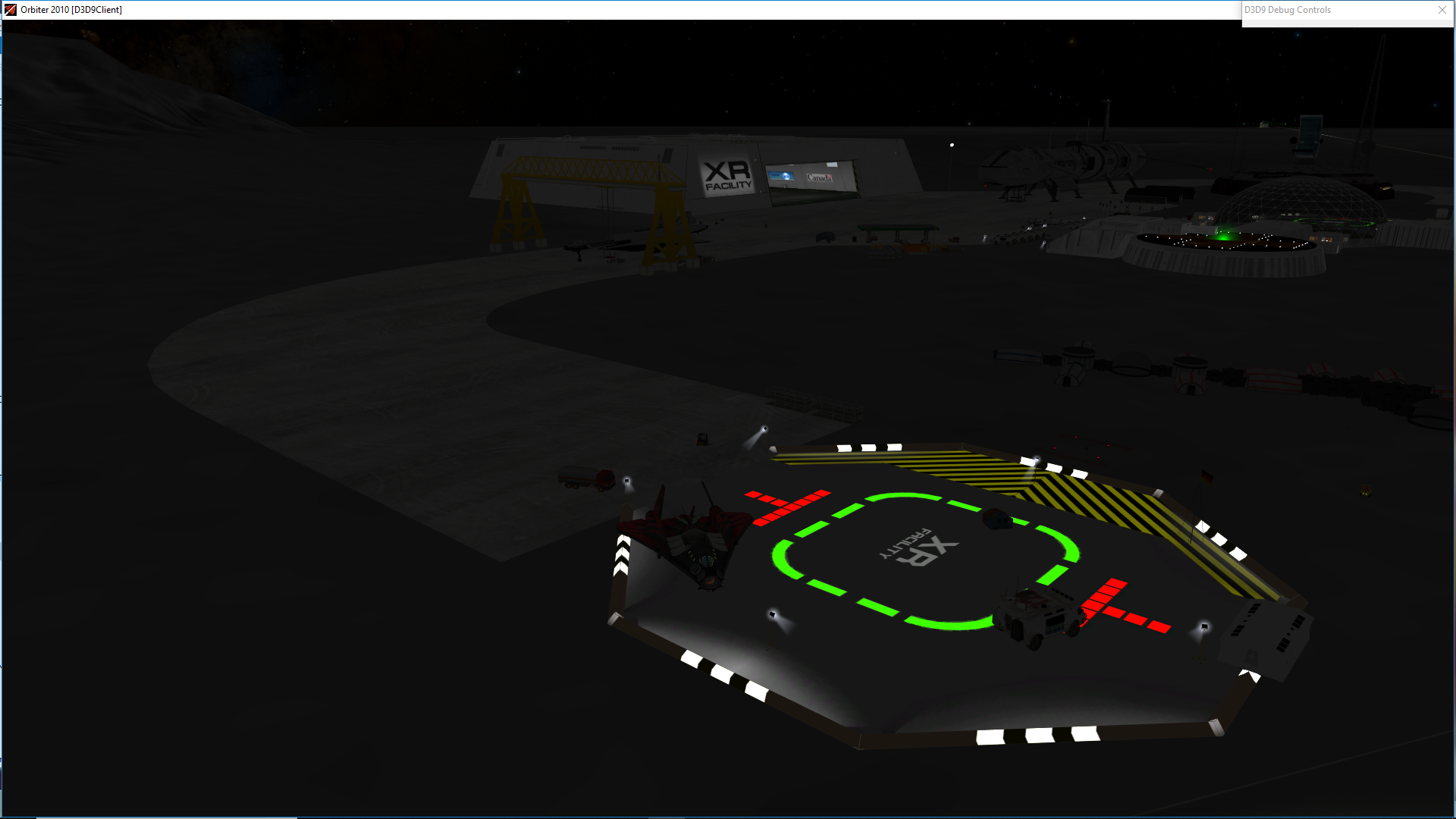
This add-on replaces the textures for Orbiters' default Landing Pads (You know... the fuzzy red circle on white background?)
Required add-ons: Tested in Orbiter 2010 p1 D3D9 client and ( in Orbiter 2016 D3D9 client it worked fine but the pads were rotated 180 degrees )
 THERE ARE 4 TEXTURE OPTIONS INCLUDED1 > Lpad01_num folder contains a texure folder that adds pads with the numbers from one - nine (depending on how many instances of Lpad01 you use in your scenario)   If you have 3 pads in your scenario the third pad will read      "3" If you have 4 pads the fourth pad will read "4"...and so on.
    For reference... if you look at the brighton beach base config file..
    ( Orbiter/Config/Moon/base/Brighton Beach.cfg )
    You will see 6 instances of Lpad01 all named the same but with different   POS,ROT,NAV values.
 Â
2 > Lpad01_XR folder... Only difference here is an "XR facility" Logo on  pad 1 (in place of the number 1)
3 and 4 > Lpad01_Landing Area folder...Adds a landing area to both 1 and 2 above.
>NOTES:Â Â Â Â Â Â - I increased the default texture size from 128x128Â Â Â Â Â Â Â Â to 512x512 for crisper textures.
      - The "warning chevrons" on the left of the pad aid with        rotational alignment from a long way off. Just keep the chevrons on the left or right.
      - This is just the first version of default pad replacement textures...more detailed ones to come!
Update note: touched up the day and night textures a little along with adding the landing area.           >INSTALLATION:         0;  (Back up your original files!) Drag one of the four "texture" folders into Orbiters' root directory. Choose to overwrite and replace all files.
 Thanks to Martin for Orbiter!

