News ORBITER ADDON COMPETITION DEVELOPMENT THREAD

Nickmick95

New member
Joined
Jul 28, 2008
Messages
159
Reaction score
0
Points
0
Hello, everyone, I would just like to start a new thread that would have all the people who entered in the ORBITER ADDON COMPETITION post their developments on the addons they are working on. Note: Anyone who as entered and has questions about how to develop your addon or your just plain stuck, post it on here.:)
 
ok, in this case, can someone tell me how to make working pod engines like on the shuttle-a?:(

I'm pretty sure you'll need to write your own DLL (module) but fortunately the Shuttle-A code is included in the Orbiter SDK.
 
I have one question:
How can i alternate engines in sequential order? (left right, left right, both) in sequential order?
 

If you has a "WTF power squared"-face yet, the thing i ask is simple...

I want that in the even-number engine starts the left engine turns on... :) :P

eeonedl2.jpg


... in the odd-number engine starts, the right engine turns on... :P :)

eetwohb4.jpg


... and finally, after a definite number of engine starts, both engines turn on simultaneously... :P :P

eebothzr9.bmp


and the thrust generated by them affecte the ship :P:P:P

Clear now?

Ah!!! And other 2 questions...

How can i had sun pointing solar panels and/or earth-facing antennae? The explanation i see in the old forum is a little un-understeable for a hard-headed guy like me :P

And finally...

How can put info in a HUD? :P
 
Last edited:
http://developer.nvidia.com/object/photoshop_dds_plugins.html

A kit from Nvidia for Adobe Photoshop

This installer contains two plug-ins. The first creates normal maps from height maps for per pixel rendering. The other is a DXTC texture compression plugin for Adobe Photoshop that allows you to open and save .dds files in RGB format. It reads and writes .dds files compressed or uncompressed.
 
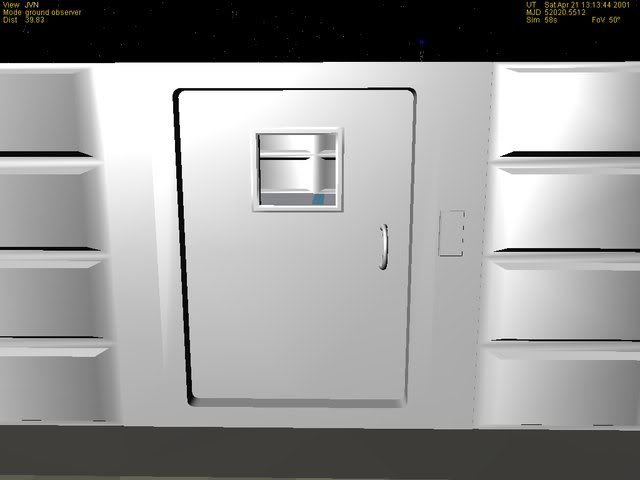
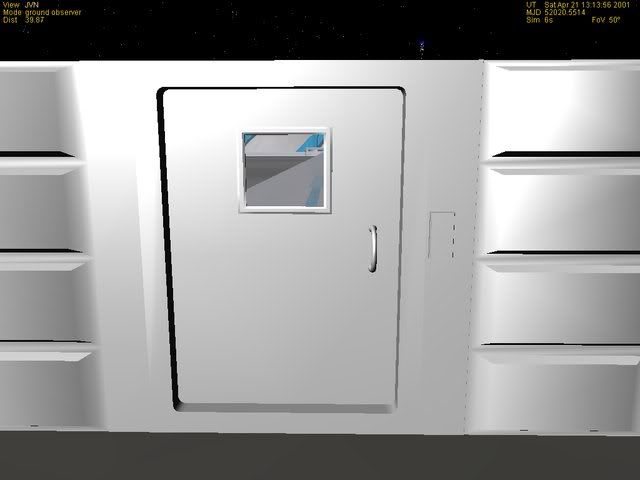
Window mesh a little too transparent

While working on my entry for the Orbiter Add-On competition, I ran across this problem:

When the window mesh is present, it allows you to see through the entire building. When it isn't, you can see the inside of the building.

For the sake of realism, I'd like to have the window present and just see the inside of the building. Any suggestions?

Screen shots:

no_window.jpg


Without window mesh present.

with_window.jpg


With window present.
 
I depends on which order in the mesh it falls. If the window is after it, you will see it. This is true for the order in the scenario also.
 
I depends on which order in the mesh it falls. If the window is after it, you will see it. This is true for the order in the scenario also.

Do you mean the group that defines the window and where it resides within the mesh file?

I have seen in scenario and config files where a certain order is preferred over another.
 
I submit KIAH as my finished product, what do we gain if we win?
 
A Note to all contestants: I just got word that Nickmick95 has been banned for good so if anyone else wants to take over for him, then tell us on this thread; otherwise, i'll take over:)
 
Do you mean the group that defines the window and where it resides within the mesh file?

I have seen in scenario and config files where a certain order is preferred over another.

Don't know if you solved this problem already or got an answer elsewhere, but:

The entire scene behind a transparent object needs to be constructed before the transparent object, or else you won't see it. It's a z-buffer thing.

Solution: put transparent groups as the last groups in your .msh file.
 
--Official Resignation--

I was planning on entering my Unity, but have since become involved with ISSU, which has encompassed Unity and delayed it in favour of other modules. Therefore I am pulling out of the competition.
 
Back
Top