MISSING TEXTURE Cape21.dds

Joined
Aug 5, 2008
Messages
191
Reaction score
0
Points
0
Location
Katy, Texas
I know, yall are just about sick of me aren't ya?

Well, here I go again with my problems.

I bet you know this one, I get it with a 100% clean install:

Code:
INSTALLATION ISSUES
--------------------------------------
C:Program FilesORBITERDirty OrbiterConfigBase.cfg
MISSING TEXTURE Cape21.dds.
Ok, what does it want to be happy? I guess i'm OCD or something...

By the way, if it was bothering you I have a folder set aside for trying to put together all the addons required by the addon I want. "Dirty Orbiter" but I also use it to try and find problems within the orbiter installation. If it works, it graduates into the main folder. Sorry for the explanation, but who knows what you were thinking by "Dirty Orbiter"
 
I think we all get it, I do anyways, even on a clean install.:blink:
 
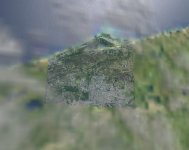
I was just wondering about it, my Cape Canaveral and Florida tile for that area always looks different than the rest of the earth from the air... I was just wondering if there was a way to fix it or if it is truly an unsolvable error...

Anyone know how to fix this or is it another "cape21"?
 
I was just wondering about it, my Cape Canaveral and Florida tile for that area always looks different than the rest of the earth from the air... I was just wondering if there was a way to fix it or if it is truly an unsolvable error...

Looks different how? Do you mean like more detailed? That would not be an error. Are you using Hi-res KSC? Just think if the rest of the world was as detailed as Canaveral, It would be FSX without terrain mesh, lol.
 
Well, yes more detailed when high above it... attachment!

Please realize as a side note that this is a 100% clean install with orbiter sound.
 

Attachments

  • Cape21.dds.jpg
    Cape21.dds.jpg
    36.9 KB · Views: 58
I believe the missing texture (which I think we all have) is part of the default launch pad for the shuttle. If you notice, a clean install yields no textures for LC-39. Then again, I may be wrong.
 
I can identify with your level of OCD regarding having the error in the diagnostic. To ease anxiety, you can just open the Orbiter/Config/Base.cfg file in Notepad and remove the line Cape21 from the section between BEGIN_TEXTURES and END_TEXTURES. Here is my resulting diagnostic afterward and Orbiter loads and runs perfectly without this reference in the Base.cfg:

Scenarios directory found: OK.
Meshes directory found: OK.
Config directory found: OK.
Base.cfg found: OK.
Vessels directory found: OK.
VINKA's SPACECRAFT ADDON
----------------------------------------------------
Multistage directory found: OK.
Multistage.cfg found: OK.
Multistage.dll found: OK.
Multistage2.cfg found: OK.
Multistage2.dll found: OK.
Spacecraft directory found: OK.
Spacecraft.cfg found: OK.
Spacecraft.dll found: OK.
Spacecraft2.cfg found: OK.
Spacecraft2.dll found: OK.
Spacecraft3.cfg found: OK.
Spacecraft3.dll found: OK.
INSTALLATION ISSUES
--------------------------------------


Hope this helps.

Regards,
n122vu
 
Thanks! Thats wonderful!

This won't cause any problems, in game, will it?

This makes me happy... like a child in a candy store, or a teen in a bar, or a gamer in a game store, all with infinite amounts of money.
 
Back
Top