Been working on this for a while now. I wanted to port my MediaPlayer to Orbiter 2024.
Also wanted to remove the "video preprocessing" step that was required in the 2016 version for the audio to sync up with the video.
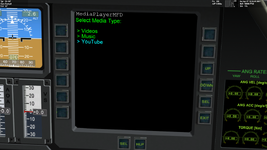
Both done. The new version plays in Orbiter 2024 and videos have perfect A/V sync. All you have to do is drop your videos in a preselected folder (or edit a config file, directing the MFD to your videos folder).
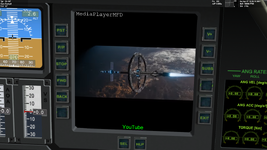
The cherry on top; It now plays Youtube videos, directly from a pasted url link. Legally, without violating YouTube's terms of service. (Unfortunately means that you also get the ads. The MFD autoskips them as soon as the option is available).
Still, streaming YouTube on an MFD surface, with perfect Audio/Video synchronization and no illegal shenanigans (like url scraping or downloading and displaying portions at a time) is quite something. All this with minimum impact on Orbiter's frame-rate.
View attachment 49313
View attachment 49314
The drawback is that the 3rd party library (CEF) required for this is about 250 MB in size. The good news is that the terms of service allow for packaging it with the addon.
I might go another way though. I think I'll ship the MFD without the library. The YouTube option will be there, but if the user doesn't have it, the MFD will direct them to the download link and give instructions on where to place it. (also included in the manual). Or I may ship 2 versions. One with "just" with music/ video/web-radio and one with additional YT support that will include the library.
There is still some work to be done to complete the features I want to have, but I should be able to start a testing thread sometime in the coming week. Stay tuned for more.



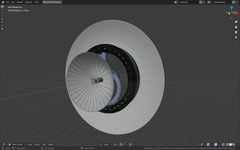
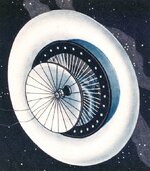
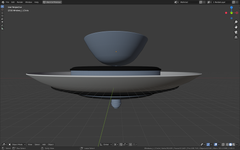
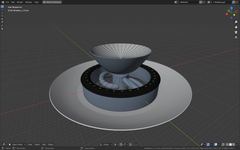
 engineer and visionary Herman Potočnik, also known under his pen name Hermann Noordung in his only book: Das Problem der Befahrung des Weltraums – der Raketen-Motor (The Problem of Space Travel – The Rocket Motor) published in Austria. Potočnik’s design is pioneering, as the first space station capable of generating artificial gravity through the use of centrifugal force. Thus, it predated von Braun’s more recognizable toroidal space station by 24 years, and the well known Stanford torus — by 47 years!