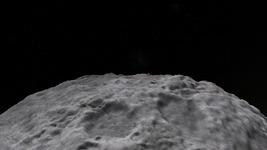
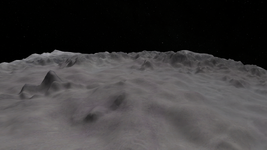
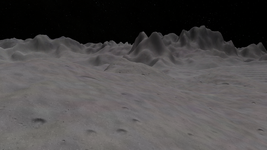
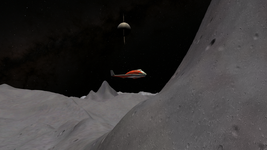
Question Custom Planet Elevation Maps for Orbiter 2016?

Sorry I forgot I obviously sent you the base image
That was good, so I do all the steps from the beginning.
Also not sure what you mean by 96 vs 72, level 7 heightmaps should be based on a 4096x2048 map
In Photoshop where you adjust size (pixels) there's also a resolution entry, 72 pixels/Zoll is standard for monitors, IIRC 96 DPI is standard for printing. If you set it at 72 pixels the image size changes down to ~3000x1000, so much less detail.
No idea why you saw no elevation at all, that is very strange... I just tried extracting the same file I uploaded yesterday and it works totally fine form me...
Only Mimas and on 2 installs! Further testing did bring up something; if I add only up to level 4 I get clipping and other issues so it is being registered.

Hyperion does already have an Elev.tree (I think it's part of the Minor Bodies in the Orbiter 2016 High-Resolution Texture Packs). I tried with this
and it made it round! So something is different with small bodies?
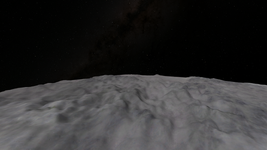
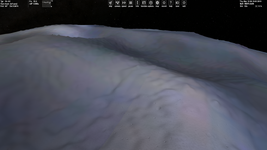
I loaded the Mimas Elev.tree you just posted for Phobos and it does work, but that step effect is present.
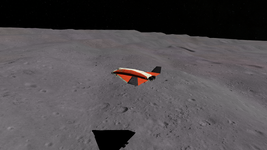
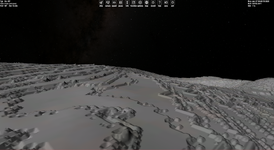
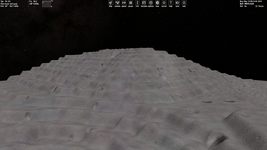
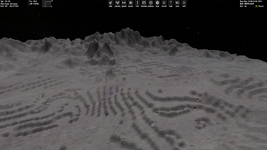
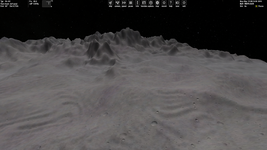
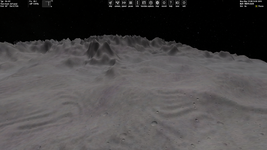
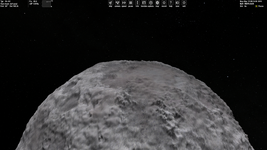
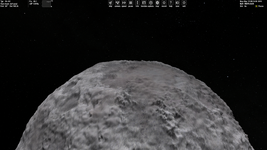
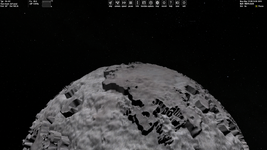
Try setting Phobos' MaxPatchResolution to 12, and observe with both the default phobos Elev.tree and then the Mimas Elev.tree you made from my map, there definitely is significantly more step-effect with my Mimas map...
I'll take a look!
 
Try setting Phobos' MaxPatchResolution to 12, and observe with both the default phobos Elev.tree and then the Mimas Elev.tree you made from my map, there definitely is significantly more step-effect with my Mimas map...
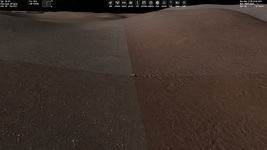
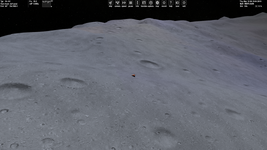
Both Mimas Elev on Phobos look very similar, very round with very little relief (even though the maps are very different sizes?), I'm not seeing any steps at all. There seems to be a scaling issue with small bodies? Also noticed that all small bodies have very small Elev.tree files, Phobos with it's very irregular shape has only 856kb. Something is done differently here?
 
Hi, for now I read posts up to #90 (before post by @Mr Martian).

@Buck Rogers, I tried your global elevation tiles for Europa. MicroTextures work (I needed to reopen Orbiter to see them):

Без імені.png

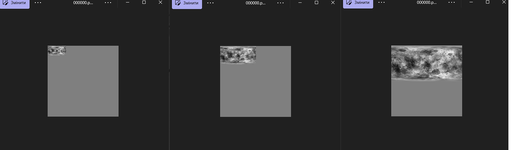
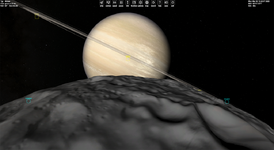
Following instructions by @dgatsoulis I made global elevation tiles for Hyperion (Saturn's moon) of level 10 (from a picture of size 32771x16387):

Без імені3.png

The total size of ELV tiles is about 1 GB (I didn't archived them yet). Also, I expected the "Elv Tile Splitter V2" to do all the lowest levels (1, 2, ... , 9) automatically, but maybe I just didn't checked the needed function (if it exists).

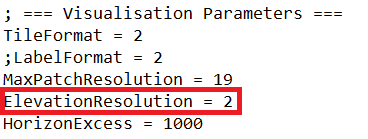
Does anyone know what the parameter mean?:

Без імені2.png

I didn't find it in documentation. FPS is very dropping if I set low values (like 0.1) for it. I suppose the lowest values of this parameter mean much more resolution of elevations, isn't it?
 
ElevationResolution

It is like a 'grid' (seen Tron ?) that Orbiter uses to determine the elevation. :unsure: It is a bit difficult to explain, maybe with Blender :
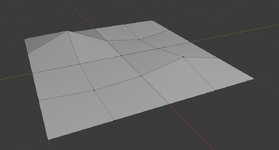
Let's say this is a low ElevationResolution parameter. You can't get very creative here, because the possiblities are limited (few points). 😴

1764976452555.png

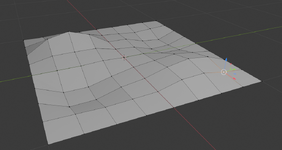
Now I subdivide every 'tile' of the previous scene in 2 (which makes 1 tile = 4 smaller tiles), which is '+1 resolution level'. It is already much more interesting : I can make round hills, low slopes etc... : 😀

1764976595825.png

... and of course, the number of polygons is square-rooted (so, of course you can repeat the subdivision process to get better and better resolution but, at some point it gets crazy)! 🔳 Now it looks like that Orbiter uses a 'reverse' scale, where large number = low detail, and small number = high detail (more subdivisions)...

See the part of the documentation that explains the 'QuadTree' system. Orbiter uses 2 'QuadTree' grids : 1 for the textures tiles, 1 for the elevation tiles. Both share the same system of coordinates.
 
Last edited:
In Photoshop where you adjust size (pixels) there's also a resolution entry, 72 pixels/Zoll is standard for monitors, IIRC 96 DPI is standard for printing. If you set it at 72 pixels the image size changes down to ~3000x1000, so much less detail.
Thanks! I did not think of that, but I tried to adjust this, and it had no change on the awful step affect.

Does anyone know what the parameter mean?:
View attachment 46068
I didn't find it in documentation. FPS is very dropping if I set low values (like 0.1) for it. I suppose the lowest values of this parameter mean much more resolution of elevations, isn't it?
It is like a 'grid' (seen Tron ?) that Orbiter uses to determine the elevation. :unsure: It is a bit difficult to explain, maybe with Blender :
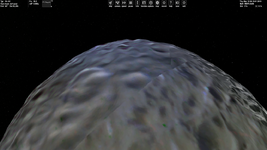
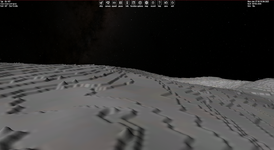
Thank you @N_Molson for the awesome explanation, and @misha.physics for raising this. I did try to mess around with that too, and all it did when raising the resolution was make the detail at each stel's 'level' more pronounced (presumably the noise). Shown below:

ElevationResolution = 1
1764990421232.png

ElevationResolution = 50
1764990469450.png

I have tried countless different alterations, changes in Mimas' radius, sizing it up 10x, changing the relief, using different maps, such as this. Nothing is working for me, this is getting very demoralizing:(

The fact that the default Vesta Elev.tree works fine for Mimas without this affect tells me this is driven by something happening at the point of conversion, or something to do with the nature of my source image....
 
Now it looks like that Orbiter uses a 'reverse' scale, where large number = low detail, and small number = high detail (more subdivisions)...
Maybe the ElevationResolution parameter is just the distance (in meters) between "vertices" as in your Blender analogy. Then it is obvious that smaller values of the parameter give more detailed (smooth) landscape (more polygons).
 
It is like a 'grid' (seen Tron ?) that Orbiter uses to determine the elevation. :unsure: It is a bit difficult to explain, maybe with Blender :
Let's say this is a low ElevationResolution parameter. You can't get very creative here, because the possiblities are limited (few points). 😴

View attachment 46074

Now I subdivide every 'tile' of the previous scene in 2 (which makes 1 tile = 4 smaller tiles), which is '+1 resolution level'. It is already much more interesting : I can make round hills, low slopes etc... : 😀

View attachment 46075

... and of course, the number of polygons is square-rooted (so, of course you can repeat the subdivision process to get better and better resolution but, at some point it gets crazy)! 🔳 Now it looks like that Orbiter uses a 'reverse' scale, where large number = low detail, and small number = high detail (more subdivisions)...

See the part of the documentation that explains the 'QuadTree' system. Orbiter uses 2 'QuadTree' grids : 1 for the textures tiles, 1 for the elevation tiles. Both share the same system of coordinates.
Just wondering, but did you get my latest post on the tile making thread? I said that the surface tiles I needed for the Paris region should be similar in resolution to LadyCrousette's Toronto add-on, but I'm personally reluctant to try creating them myself because I'm don't entirely know how to extract images from the link you provided, and in any case I'd probably just botch everything up horribly.
 
Just wondering, but did you get my latest post on the tile making thread? I said that the surface tiles I needed for the Paris region should be similar in resolution to LadyCrousette's Toronto add-on, but I'm personally reluctant to try creating them myself because I'm don't entirely know how to extract images from the link you provided, and in any case I'd probably just botch everything up horribly.

I'm not an expert at making tiles. I did that in Orbiter 2016 several years ago, and I could probably do it again.

But I have my plate more than full with the addons projects I'd like to release one day.

or something to do with the nature of my source image....

Yes, you have to be 100% sure that the image you use is formatted properly.
 
Last edited:
Thanks! I did not think of that, but I tried to adjust this, and it had no change on the awful step affect.
:(
something happening at the point of conversion
I haven't tested the batch file, have you tried using the "old" method?
When up/down-scaling in Photoshop are you using Bicubic? Somewhere noise is being added?

On a side note I found a free offline AI upscaler "Final2x-windows-x64-unpacked", but haven't tested it yet.
 
Finally, I have read this thread to the end.

@Mr Martian, thank you for your scripts. I tried both your versions. And with "P" and "T" options. It looks the first version had a bug - after choosing "No" for the question "Would you like to create metadata files to accompany the tiles?" I got empty folders without any ELV tiles. But in the second version this issue doesn't occur, since after choosing "No" for the question the script just makes PNG tiles and ends its work (namely it doesn't ask to convert PNG to ELV and ELV tiles to TREE archive).

Using your script I created ELV tiles of levels 1-9 for Hyperion (just for an example) using a fictional height map (and fictional surface texture #1 from my Global Textures add-on):

1.png2.png3.png

By the way, is it normal (expected) that all PNG files of levels 1, 2, 3 after running your script have size 259x259 (instead of 67x67, 129x129, 259x259) and look the following?:

Без імені.png

Also, I don't notice any issue at zero longitude after using the "Elv Tile Splitter V2" without makking padding before. Maybe it's just because of the heigh map source I am using. Here is the DG at zero longitude and zero latitude (but I made the only level 10 for now):

Без імені2.png

Of course, we have singularity on poles, I think the simplest solution might be making them flat (using gradient monotone color for high latitudes).

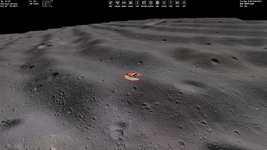
Regarding the step effect on Mimas. I tried your ELV file with my Orbiter 2024 (just to notice, everything I do I do with Orbiter 2024 with D3D9 graphics) with the default Mimas.cfg, but I set MaxPatchResolution = 21 and I see elevations without any stairs:

M1.pngM2.pngM3.png

So, I really don't know how to get the steps like on your screenshots. Also, the ELV file from @Buck Rogers for Mimas doesn't work for me (I see just flat Mimas).
 
Last edited:
Finally, I have read this thread to the end.
Welcome! And thanks for taking the time to read through it all!

By the way, is it normal (expected) that all PNG files of levels 1, 2, 3 after running your script have size 259x259 (instead of 67x67, 129x129, 259x259) and look the following?:
Yes, this is a particular quirk of elevation tiles compared with normal surface tiles. A good example of this is found in the gorgeous OSIRIS-REx addon by @BrianJ

So, I really don't know how to get the steps like on your screenshots.
I found the issue! Thank you, and everyone else who helped me bug-test this, really appreciate your help! The issue I believe was driven by my stretching images dynamic range to be 0-255, without blurring anything. I think this made bizarre missing blocks on the images histogram, difficult to explain, but I think that caused the issue. I also found that playing around with ElevationResolution can help too, but nothing compared to ensuring the image's dynamic range is smooth. I have done more work to my Mimas heightmap, and it's looking great now!
1765092560976.png
 
You mean the problem was with your source picture and generated Elev.tree file, isn't it? But it's strange that your Elev.tree is working for me without steps. I downloaded it from here:
Thank you @Buck Rogers attached is the png that I have been using, along with the Mimas.cfg and generated Elev.tree. I tried with my batch converter (using ele2png), and the method using Elv Tile Splitter... Both yield the same results...
 
I increased the altitude range threefold of my height map and see something like your steps:

Без імені.png
 
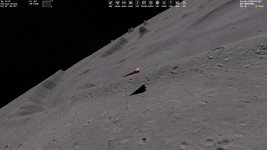
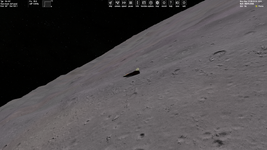
Experiments with the "ElevationResolution" parameter for 100, 1 and 0.1 values, respectively:

A100.pngA1.pngA01.png
B100.pngB1.pngB01.png

So, at a close angle (the first three pictures) we see steps when "ElevationResolution=100", whereas from a distance (the last three pictures) we see steps when "ElevationResolution=0.1". So, the best of this is "ElevationResolution=1".

"MaxPatchResolution = 21" for all these cases.
 
I attach the "Elev.tree" if anyone would like to try it with different settings (parameters). It contains levels 1-8. I applied it to Hyperion.
 

Attachments

Back
Top