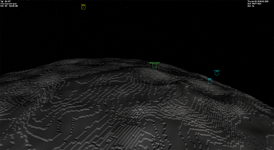
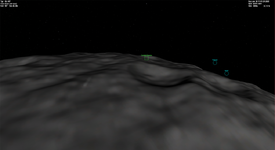
Question Custom Planet Elevation Maps for Orbiter 2016?

Hi @Mr Martian, got round to testing your previous batch file, the padding operation worked (even without Image Magick), but the tiles don't. Will it work with the portable version? Is it still a dependency?

This is something I was thinking about too, best to be as accurate as possible, but on some maps the detail is very low or absent and "intropolated" is better than nothing.
Also found that the breaks in detail don't look too bad, so if some areas aren't as good it's not a big problem, Europa is a good example. Still think an AI could fill the fuzzy bits and still be pretty accurate.
New worlds on the horizon:)
Regarding Weytahn, the heightmap has some issues with bordering, though I personally don't consider that too much of a deal breaker. The real issue I am having at the moment relates to atmospheric horizons - one some worlds, including both Andor and Weytahn, the horizon appears too high above the surface, and the sky in the lower-altitude (i.e. ground level) regions is lit like it's on the surface of the sun (or in this case Procyon), as shown below. Does anyone know what's causing this?

AndorHorizon.jpg
 
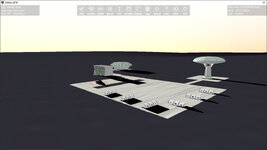
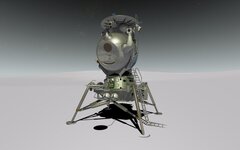
LK on Enceladus! (Elv1):D
0774.jpg
Shame about the atmosphere cuttoff, tried different .cfg settings but couldn't fix it. Is this a fixed Orbiter core limitation, atm. only above sea-level?

Image Magick's licence permits redistribution. Would it be possible to make one that ships with the portable version, no installation, no dependencies would be great?

I forgot the micro-tex again!
 
Shame about the atmosphere cuttoff, tried different .cfg settings but couldn't fix it. Is this a fixed Orbiter core limitation, atm. only above sea-level?
Good to know I'm not the only one experiencing that problem.

My best guess is that the minimum altitude (EMIN) must be set to a certain amount, otherwise the program classifies the lowest-lying regions as below sea (or ground) level. If this is the is case, then how much does it need to be set to? 1000?
 
Last edited:
Elev.tree is with an elevation range of 0m to 5000m, and this allows the atmosphere to look nice. Elev1.tree uses a more accurate -3100m to 1900m, but this leaves a black empty visible shell under the atmosphere at elevation 0
Good to know I'm not the only one experiencing that problem.

My best guess is that the minimum altitude (EMIN) must be set to a certain amount, otherwise the program classifies the lowest-lying regions as below sea (or ground) level. If this is the is case, then how much does it need to be set to? 1000?
I haven't tested this but it must be doable because Mars has negative alt and also an atmosphere. Mars.cfg has an entry under ; === Visualisation Parameters ===
MinElevation = -22000
maybe that helps? Also
HorizonExcess = 0.035 ; prevent mountain tops beyond sphere horizon from disappearing

Edit: quick test- didn't help!. But if Mars works...
 
Last edited:
I haven't tested this but it must be doable because Mars has negative alt and also an atmosphere. Mars.cfg has an entry under ; === Visualisation Parameters ===
MinElevation = -22000
maybe that helps? Also
HorizonExcess = 0.035 ; prevent mountain tops beyond sphere horizon from disappearing

Edit: quick test- didn't help!. But if Mars works...
Actually, I think I might know now what's causing the problem - the ground-level areas on the heightmaps need to be grey rather than black, as the latter denotes areas below ground level, such as the Valles Marineris on Mars. The question is, what is the correct hue to use when doing so?
 
Have you tried setting Min Elev in TileSplitter to "0", as for a planet with oceans ( This is what @Mr Martian did to fix Enceladus)?
Would really like to know how/why Mars works though?
 
Have you tried setting Min Elev in TileSplitter to "0", as for a planet with oceans ( This is what @Mr Martian did to fix Enceladus)?
Would really like to know how/why Mars works though?
So when I was making Enceladus I played around with the atmosphere, I literally copied Mars' atmosphere into Enceladus and it worked perfectly, obviously it looked wrong, wrong color, rediculous atmoshere etc. but it did extend below the horizon correctly. I slowly tweaked the upper-altitude limit down lower and lower to be closer to what I ultimately uploaded here, but noticed as I did this, the lower limit (below horizon) also rose up to be where it is now. I think that Orbiter calculates the lower limit of the atmosphere based directly off the upper limit, which is why it works for Mars, a much larger body with a more 'normal' atmospheric upper limit, compared with what I was trying with Enceladus.
 
Hi @Mr Martian, got round to testing your previous batch file, the padding operation worked (even without Image Magick), but the tiles don't. Will it work with the portable version? Is it still a dependency?

This is something I was thinking about too, best to be as accurate as possible, but on some maps the detail is very low or absent and "intropolated" is better than nothing.
Also found that the breaks in detail don't look too bad, so if some areas aren't as good it's not a big problem, Europa is a good example. Still think an AI could fill the fuzzy bits and still be pretty accurate.
New worlds on the horizon:)
I've not tried running the batch files without ImageMagick, so I can'r really speak to that, for now I am not intending to ship these batch files as a propper addon, as they do rely on things like ele2png, which is not mine, it belongs to @Face and I do not want to distribute things that aren't mine.

I agree with you on accuracy too. I am currently working through the Saturnian system (slowly) as acurately as I can, the breaks in detail aren't so much what I was talking about as the seams, the sudden breaks, I don't think that looks ideal in my opinion, so I have been smoothing those seam joints out in photoshop, and tweaking colours and tones to produce more realistic results (the 'true' colour images are almost always very enhanced and not how they'd appear out your window if you were to actually orbit these worlds). Anyway, I'll continue to try to do every stock Saturnian satellite as I practice with heightmaps...
 
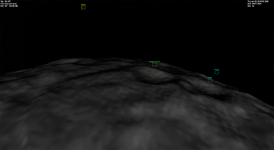
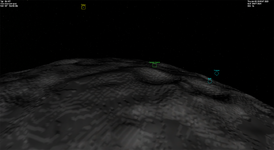
Okay I've been working on Mimas, and I've encountered something again which I've come across a few times, and am hoping for some advice. I have a level 7 heightmap, but based on the MaxPatchResolution paramter I set in the cfg file, the results can get this really awful step effect. See below:

MaxPatchResolution = 7
1764427692712.png

MaxPatchResolution = 8
1764427762530.png

MaxPatchResolution = 12
1764427788208.png


As you can see, once you start defining a MaxPatchResolution above the elevation map's actual max level, it starts to get this strange step-appearance, almost like an open cut mine. I can just keep the MaxPatchResolution definition at 7, but the surface tiles are at resolution 8. Also if I want the surface contact points to map properly for landing on the surface, the MaxPatchResolution should be set high, ideally above 12.

Has anyone else encountered this and resolved it? Bodies with higher relative relief seem to be affected more (see Miranda in my Uranus Moons addon, there is a bit of this visible here too). Note I am using the D3D7 client for these screenshots, just because it is more immediately visible than with the D3D9 client, but the result is exactly the same.

Thanks as always!
 
So when I was making Enceladus I played around with the atmosphere, I literally copied Mars' atmosphere into Enceladus and it worked perfectly, obviously it looked wrong, wrong color, rediculous atmoshere etc. but it did extend below the horizon correctly. I slowly tweaked the upper-altitude limit down lower and lower to be closer to what I ultimately uploaded here, but noticed as I did this, the lower limit (below horizon) also rose up to be where it is now. I think that Orbiter calculates the lower limit of the atmosphere based directly off the upper limit, which is why it works for Mars, a much larger body with a more 'normal' atmospheric upper limit, compared with what I was trying with Enceladus.
So it's planet size, probably hardcoded in the Orbiter core?
There are also D3D9 Atmospheric Controls for Low Orbit, don't know if that has an effect?
so I have been smoothing those seam joints out in photoshop, and tweaking colours and tones to produce more realistic results
That's a lot of work! Very much appreciated. :)
As you can see, once you start defining a MaxPatchResolution above the elevation map's actual max level, it starts to get this strange step-appearance, almost like an open cut mine.
Minecraft Planet? Loss of detail, interpolation. Even at just one level up! I haven't noticed this yet, have been working with at least level 8/9 though (and have set MPR to 19 with no visible difference?). Looks like you need to upscale at least 1 or 2 levels for a useable (landable) result.
 
Minecraft Planet? Loss of detail, interpolation. Even at just one level up! I haven't noticed this yet, have been working with at least level 8/9 though (and have set MPR to 19 with no visible difference?). Looks like you need to upscale at least 1 or 2 levels for a useable (landable) result.

Okay so this one really has me stumped.

My initial supsicion was wrong, I don't think it has anything to do with relative relief, as when I replace Mimas' .Elev with the stock Vesta (even higher relief), Vesta looks great. I have also tried upscaling the texture to level 8 (8192x4096) and the result is the same. I've upscaled to level 9 and am running the achingly slow conversion now, but I do not anticipate meaningful results. I have also played with the parameters of the meta file (values not tagged as VAL):
Code:
vmin=VAL vmax=VAL scale=VAL offset=VAL type=-16 padding=0x0  colormap=0 smin=0 emin=0 smean=0 emean=0 smax=0 emax=0  latmin=0 latmax=0 lngmin=0 lngmax=0

This did not help, neither did playing with 8-bit instead of 16-bit.

I really am at a total loss:confused:

Update:
Upscaling to level 9 did not improve at all...

Update again:
It doesn't seem to be about the define MPR at all, but the actual compiled max resolution. Results when still defining MaxPatchResolution = 12 but building only a level 4 map are like this:
1764492094813.png

Much better... but very low resolution... What am I doing wrong here, can anyone else replicate or has anyone else been struggling with this? 😵‍💫
 
Last edited:
:confused:So it's not MPR but upscale qualitity?
If you can post the source height map I can run it through what I did last time and see if anything comes up.

Thank you @Buck Rogers attached is the png that I have been using, along with the Mimas.cfg and generated Elev.tree. I tried with my batch converter (using ele2png), and the method using Elv Tile Splitter... Both yield the same results...
 

Attachments

Thank you @Buck Rogers attached is the png that I have been using, along with the Mimas.cfg and generated Elev.tree. I tried with my batch converter (using ele2png), and the method using Elv Tile Splitter... Both yield the same results...
I wonder if you'd be interested in doing some heightmaps for Hyperion? As mentioned in an earlier post, I found a really good one for said moon, plus the surface textures, on Deviantart.

Surface textures: https://www.deviantart.com/mapperpro/art/My-Hyperion-Map-934999652
Heightmap: https://www.deviantart.com/mapperpro/art/Hyperion-height-map-with-craters-994322022
 
Hi @Mr Martian
So a bit of an oddessy:
Installed the .cfg and elev and get no elevation at all?
I took a look at the .png andit has a resolution of 96... instead of 72, so the pixel count is way off ( I think this is where your problem lies?).
Upscaled to L8 added padding and ran through elvtilesplitter without problems (alt -500 to +1000, probably too much).
But in Orbiter still no relief!! Tried .cfg settings, nothing worked. Even made a quick Ophelia with the same elev map, and it works! (though badly). So I tried on a clean O24 install and it still doesn't work! So no idea what's blocking terrain for Mimas on 2 different installs?:confused:
Attached the Elev.tree, hopefully looks better your end.:)
 

Attachments

I wonder if you'd be interested in doing some heightmaps for Hyperion? As mentioned in an earlier post, I found a really good one for said moon, plus the surface textures, on Deviantart.

Surface textures: https://www.deviantart.com/mapperpro/art/My-Hyperion-Map-934999652
Heightmap: https://www.deviantart.com/mapperpro/art/Hyperion-height-map-with-craters-994322022
I'll definitely have a go. As mentioned my plan is to go through the Saturnian system, I'll release that properly once finished, but I want to address this surface step-issue first.
 
Hi @Mr Martian
So a bit of an oddessy:
Installed the .cfg and elev and get no elevation at all?
I took a look at the .png andit has a resolution of 96... instead of 72, so the pixel count is way off ( I think this is where your problem lies?).
Upscaled to L8 added padding and ran through elvtilesplitter without problems (alt -500 to +1000, probably too much).
But in Orbiter still no relief!! Tried .cfg settings, nothing worked. Even made a quick Ophelia with the same elev map, and it works! (though badly). So I tried on a clean O24 install and it still doesn't work! So no idea what's blocking terrain for Mimas on 2 different installs?:confused:
Attached the Elev.tree, hopefully looks better your end.:)
Now that sounds like an oddessy, thank you so much for all your help! I loaded up that Mimas heightmap you sent me, and it does work, but the relief should be -17200 to +17200 m (takes Mimas' oblate shape into consideration). I loaded the Mimas Elev.tree you just posted for Phobos and it does work, but that step effect is present.
Try setting Phobos' MaxPatchResolution to 12, and observe with both the default phobos Elev.tree and then the Mimas Elev.tree you made from my map, there definitely is significantly more step-effect with my Mimas map...

Also not sure what you mean by 96 vs 72, level 7 heightmaps should be based on a 4096x2048 map (before padding). Sorry I forgot I obviously sent you the base image. My batch tool can create appropriately padded images (attached).

No idea why you saw no elevation at all, that is very strange... I just tried extracting the same file I uploaded yesterday and it works totally fine form me...
 

Attachments

Unfortunately no, since I couldn't figure out how to resolve the whole issue with atmospheric cutoff and the skies being brightly lit at ground level.
Which one would be a good test example? If you can post the source heightmap I can take a look.
 
Back
Top