
You are using an out of date browser. It may not display this or other websites correctly.
You should upgrade or use an alternative browser.
You should upgrade or use an alternative browser.
My first simpit!
- Thread starter guitarist473
- Start date

guitarist473
The UMMU that can play guitar
- Joined
- Feb 1, 2009
- Messages
- 196
- Reaction score
- 0
- Points
- 0
- Location
- Long Eaton, Nottinghamshire England
They make metallic spray paints...
I was thinking that, but then again, i would have to paint it when its in my room, so spraypaints might not be the best option but i will consider it...
A small update on progress...
I have rearanged my room in a configuration right for where the pit is going to go...
I have also started on some proof-of-concept mini projects whilst im waiting for my wood to come...
For example, i have made a shoebox into a shape of a center pedistel where my joystick and mouse would go... [see picture below]
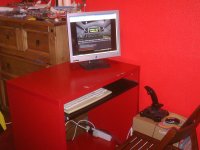
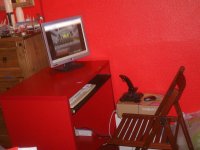
[Mini-Game] Find the saturn V model in the background!
 (Hint: its more visible on picture 2)
Thanks for your posts!
Guitarist473

P.S... speaking of model spacecraft, thought you guys might like to see these...
(sorry for the poor camera quality)
Space shuttle, Enterprise and the Apollo 11 Landing site with astronaught, CM and LM...
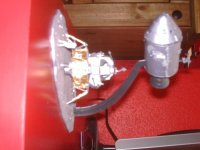

...and Best of all...
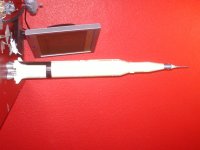
Last edited:
- Joined
- May 30, 2008
- Messages
- 5,580
- Reaction score
- 2
- Points
- 0
No, don't use spray paints in your room. Why can't you paint the pieces before final assembly in your room?I was thinking that, but then again, i would have to paint it when its in my room, so spraypaints might not be the best option but i will consider it...

Hielor is right, always use the best ventilation possible while spraying paint (open air), a mask is indicated for anything longer than a few dabs, and never let your female family members (sisters/wives/GFs) near your paint shop (volatile organic compounds are not good for women's health).
guitarist473
The UMMU that can play guitar
- Joined
- Feb 1, 2009
- Messages
- 196
- Reaction score
- 0
- Points
- 0
- Location
- Long Eaton, Nottinghamshire England
The simpit itself is going to be a extension onto my previous computer desk (as seen in the images...) thats why i cant paint it outside my room befor assembly, because half of its in my room readily assembled. so i think a normal paint will have to be sufficient unless a silver material such as tarp (posted before) is used.
Thanks
Guitarist473
P.S i have come up with a name for my simpit...
from this day on it will be known as...
Satellite 15!... (and the crowd goes wild!)
after ofcouse Iron Maiden's song, "Satellite 15... The final frontier"
Well il keep you all posted when more developments come in!
Thanks for your interest!
Thanks
Guitarist473
P.S i have come up with a name for my simpit...
from this day on it will be known as...
Satellite 15!... (and the crowd goes wild!)
after ofcouse Iron Maiden's song, "Satellite 15... The final frontier"
Well il keep you all posted when more developments come in!
Thanks for your interest!
Last edited:
guitarist473
The UMMU that can play guitar
- Joined
- Feb 1, 2009
- Messages
- 196
- Reaction score
- 0
- Points
- 0
- Location
- Long Eaton, Nottinghamshire England
Small update:
I have orderd my two pieces of hardware of the internet.
http://shop.pilotwarehouse.co.uk/product19740023catno0.html
http://shop.pilotwarehouse.co.uk/product23900023catno2220023.html
I have also decieded that this simpit will be mainly used with the XR2 and not the DGIV because the XR2 has most of its functions (ie. opening doors and such) mapped to a keyboard so i can map them to the hardware, whereas the DGIV has limited keys mapped and i dont see a way of mapping it to my hardware.
Start of construction is due tomorrow when i find some MDF
I should also be getting my second monitor tomorrow!
Il keep you all posted, wish me luck!
Guitarist473
I have orderd my two pieces of hardware of the internet.
http://shop.pilotwarehouse.co.uk/product19740023catno0.html
http://shop.pilotwarehouse.co.uk/product23900023catno2220023.html
I have also decieded that this simpit will be mainly used with the XR2 and not the DGIV because the XR2 has most of its functions (ie. opening doors and such) mapped to a keyboard so i can map them to the hardware, whereas the DGIV has limited keys mapped and i dont see a way of mapping it to my hardware.
Start of construction is due tomorrow when i find some MDF
I should also be getting my second monitor tomorrow!
Il keep you all posted, wish me luck!
Guitarist473

Pyromaniac605
Toast! :D
Hey, you have the same Logitech POS joystick as me.
Just a warning to others, do not buy a Logitech Attack 3...
Darren
Just a warning to others, do not buy a Logitech Attack 3...
Darren
guitarist473
The UMMU that can play guitar
- Joined
- Feb 1, 2009
- Messages
- 196
- Reaction score
- 0
- Points
- 0
- Location
- Long Eaton, Nottinghamshire England
Just a warning to others, do not buy a Logitech Attack 3...
Why? iv had this joystick for years and it still works perfectly for me


theflyingfish
Falling with Style
I have used that joystick at my school, and though it is a solid joystick, without the massive deadzone and quality problems I have with my Saitek Cyborg X, it is not the joystick I would want to spend any amount of time with. Rudder is not extremely important, but if you are building a full-on simpit, why not go for a really nice joystick, like a Saitek X-52? (or whatever its called.) And I like to use my joystick's software to map buttons to important functions, but the attack three only has 5 buttons + trigger on top, and not much other than that. And I distinctly remember your joystick not having any hat-stick. (or whatever its called.) Again, with all the cool features of a simpit, why be hampered by a budget joystick?
I'm not the one who's spending the money here, but it sounds like a good idea to buy a new joystick, from my point-a-view.
Congratulations on your simpit, though. The idea of the two separate monitors in Orbiter makes my mouth water, especially when I think of the new visual enhancement "client" thay have in the works. :headbang:
Another thing I noticed...
In both your Sketchup model and pictures, your joystick and mouse are at the same level as your seat. Knowing the amount of time and stress a manual re-entry takes (People still do those, right?), this position might place a lot of strain on your hand. May I recommend raising your joystick up quite a bit, or possibly adding an armrest? Think of an F-16 cockpit. The flightstick is situated slighty below the pilot's shoulder level, and the seat is reclined back very far. I have my joystick set up just below shoulder level to my right, with my elbow resting on a desk, and found it decreases muscle fatigue and enhances control.
Just an idea...
I'm not the one who's spending the money here, but it sounds like a good idea to buy a new joystick, from my point-a-view.
Congratulations on your simpit, though. The idea of the two separate monitors in Orbiter makes my mouth water, especially when I think of the new visual enhancement "client" thay have in the works. :headbang:
Another thing I noticed...
In both your Sketchup model and pictures, your joystick and mouse are at the same level as your seat. Knowing the amount of time and stress a manual re-entry takes (People still do those, right?), this position might place a lot of strain on your hand. May I recommend raising your joystick up quite a bit, or possibly adding an armrest? Think of an F-16 cockpit. The flightstick is situated slighty below the pilot's shoulder level, and the seat is reclined back very far. I have my joystick set up just below shoulder level to my right, with my elbow resting on a desk, and found it decreases muscle fatigue and enhances control.
Just an idea...
Last edited:

deltawing777
Member
- Joined
- Jan 4, 2008
- Messages
- 513
- Reaction score
- 0
- Points
- 16
- Location
- South of Houston,Texas
- Website
- omp.dyndns-server.com
So I was messing around and came up with this. Made of PVC pipe and various fittings.Of course make sure you have adequate cooling for the pc and yourself.


humm...looking at it again I guess you could put door hinges at the top instead
humm...looking at it again I guess you could put door hinges at the top instead
Last edited:
guitarist473
The UMMU that can play guitar
- Joined
- Feb 1, 2009
- Messages
- 196
- Reaction score
- 0
- Points
- 0
- Location
- Long Eaton, Nottinghamshire England
that pvc outer skin/panel looks awesome! but im really limited on lenth at the moment and because of this, the part of the 3d model where the speakers are mounted had to be scrapped, so everything after the back of the seat is no longer there.
If in the end i have more space and time i will considere building something like that, your effort to help is very well appreciated but at this stage i dont think il be able to make that in the limits i have.
And i have decieded because there is no back part to just go with a desk styled simpit instead with a overhead board to mount my throttle on.
...but yeah im limited on space, money and time to build... after christmas the construction will stall to a holt untill about febuary if i dont get it done.
On a good note though, i went out today, i purchased a new moniter, a gaming mouse and loads of MDF for building the overhead panel.
My camera no longer wants to work :uhh: so dont expect pictures soon, sorry.
One more thing, my computer only supports one VGA output... how would i hook two moniters up to this, iv heard of Cable splitters, but aparently with games the 2nd moniter will only show what the first monitor shows. and cannot be changed... is this true?
Thanks
Mikey (Guitarist473)
The first time iv ever used my real name on this forum i think, i dont know why, i just thought using a username makes more sense, but hey, theres a first for everything!
EDIT: ive solved the problem about monitors...
With the new system unit im getting, it has 1 VGA input and 1 DVI input, in theory, if i buy a VGA to DVI converter and hook up a monitor to each one, both monitors should work? Is this correct?
Thanks
If in the end i have more space and time i will considere building something like that, your effort to help is very well appreciated but at this stage i dont think il be able to make that in the limits i have.
And i have decieded because there is no back part to just go with a desk styled simpit instead with a overhead board to mount my throttle on.
...but yeah im limited on space, money and time to build... after christmas the construction will stall to a holt untill about febuary if i dont get it done.
On a good note though, i went out today, i purchased a new moniter, a gaming mouse and loads of MDF for building the overhead panel.
My camera no longer wants to work :uhh: so dont expect pictures soon, sorry.
One more thing, my computer only supports one VGA output... how would i hook two moniters up to this, iv heard of Cable splitters, but aparently with games the 2nd moniter will only show what the first monitor shows. and cannot be changed... is this true?
Thanks
Mikey (Guitarist473)
The first time iv ever used my real name on this forum i think, i dont know why, i just thought using a username makes more sense, but hey, theres a first for everything!
EDIT: ive solved the problem about monitors...
With the new system unit im getting, it has 1 VGA input and 1 DVI input, in theory, if i buy a VGA to DVI converter and hook up a monitor to each one, both monitors should work? Is this correct?
Thanks
Last edited:
- Joined
- May 30, 2008
- Messages
- 5,580
- Reaction score
- 2
- Points
- 0
Yes, there's no cheap/easy way to get multiple monitors out of a single VGA output. TripleHead2Go would be your best bet, and it's fairly expensive.One more thing, my computer only supports one VGA output... how would i hook two moniters up to this, iv heard of Cable splitters, but aparently with games the 2nd moniter will only show what the first monitor shows. and cannot be changed... is this true?
Also, what graphics card do you have that only has one VGA out? Are you using onboard video?
What do you mean, "new system unit?"EDIT: ive solved the problem about monitors...
With the new system unit im getting, it has 1 VGA input and 1 DVI input, in theory, if i buy a VGA to DVI converter and hook up a monitor to each one, both monitors should work? Is this correct?
If your graphics card has more than one output, you should just be able to hook up one monitor to each. I don't know what you'd need a VGA to DVI converter for.
guitarist473
The UMMU that can play guitar
- Joined
- Feb 1, 2009
- Messages
- 196
- Reaction score
- 0
- Points
- 0
- Location
- Long Eaton, Nottinghamshire England
What do you mean, "new system unit?"
The computer tower, i thought system unit was the technical term for it... ?
My current PC/video card only supports one monitor because it only has one VGA input, no DVI input. (its very old!)
The PC im getting soon has one VGA input and one DVI input.
i have looked at doublehead2go and it seems that for the newer one wouldnt a simple VGA to DVI converter do the same job?
http://cgi.ebay.co.uk/DVI-I-M-TO-VG...&otn=1&po=LVI&ps=63&clkid=5487309352183281722
I have measured put and marked the MDF out so as soon as my brother supplies me with his jigsaw i will be able to begin construction.
For the side panels im going for 50cm in lenth by 70cm in height.
For the overhead panel i measured 77cm lenth by 50cm width.
Against the origional measurements:
Side panels - 36cm in lenth by 57cm in height.
Overhead panel - 68cm in lenth by 42cm in width.
I trying to get my camera up and running to post some pics but no luck so far.
Last edited:
deltawing777
Member
- Joined
- Jan 4, 2008
- Messages
- 513
- Reaction score
- 0
- Points
- 16
- Location
- South of Houston,Texas
- Website
- omp.dyndns-server.com
Yes if your new PC has one SVGA and one DVI output you should be ok using a SVGA to DVI Adapter. You may or may not need a second adaptor on the end of the cable going to the monitor. look at the dvi connector and count your pins alot of dvi connectors look alike and may have 2 or more pins more or less then what you currently have. I would do a little googling on the dvi adaptor so you are sure you know what you need. ( I hate returning wrong parts,its a hassle ) Oh and good luck with your simpit :thumbup:The computer tower, i thought system unit was the technical term for it... ?
My current PC/video card only supports one monitor because it only has one VGA input, no DVI input. (its very old!)
The PC im getting soon has one VGA input and one DVI input.
i have looked at doublehead2go and it seems that for the newer one wouldnt a simple VGA to DVI converter do the same job?
http://cgi.ebay.co.uk/DVI-I-M-TO-VG...&otn=1&po=LVI&ps=63&clkid=5487309352183281722
I have measured put and marked the MDF out so as soon as my brother supplies me with his jigsaw i will be able to begin construction.
For the side panels im going for 50cm in lenth by 70cm in height.
For the overhead panel i measured 77cm lenth by 50cm width.
Against the origional measurements:
Side panels - 36cm in lenth by 57cm in height.
Overhead panel - 68cm in lenth by 42cm in width.
I trying to get my camera up and running to post some pics but no luck so far.
Ill send you a screen shot later when I get home
Last edited:
Revolpathon
New member
- Joined
- Dec 18, 2009
- Messages
- 78
- Reaction score
- 0
- Points
- 0
some tips for the dual monitor set up, and i have no idea if it's possible since i don't have 2 monitors but run the grahpics side of orbiter on 1 screen in windowed mode, maximize that and then adjust your screen (with the buttons on the monitor itself) so that it appears full screen (essentially making sure that the title bar and the start bar are outside the viewable section of you monitor, then open up 2 external mfd's en drag those to the 2nd monitor, your 2 monitors needs to be set up in side by side (i forgot the name for it but it make's your resolution very wide).
also, having the keyboard way up high is cool looking but inpractical, most of the manouvring or all off it is done with the joystick and mfd control with either your voice if you go the voice control route or the mouse, and all that is great for simpit use, but it's also your standard computer at which you do your normal stuff like email and internet, and having to type above shoulder level (or elbow level even) is highly uncomfortable for even a short period of time.
having said that, i love your simpit though, i really should jump back into orbiter hardcore style and get my rusty skills back up.
1 tip if your joystick ever fails, do not get a force feedback joystick, the deadzone is highly annoying for fine control (RCS movements), i've found myself drifting off course fighting the rcs system when doing orbital manouvres or just while costing because gravity decided that my joystick should lean just out of the designated dead zone... i pulled out my old 10 bucks toys r us joystick because that one has no deadzone whatsoever.
also, having the keyboard way up high is cool looking but inpractical, most of the manouvring or all off it is done with the joystick and mfd control with either your voice if you go the voice control route or the mouse, and all that is great for simpit use, but it's also your standard computer at which you do your normal stuff like email and internet, and having to type above shoulder level (or elbow level even) is highly uncomfortable for even a short period of time.
having said that, i love your simpit though, i really should jump back into orbiter hardcore style and get my rusty skills back up.
1 tip if your joystick ever fails, do not get a force feedback joystick, the deadzone is highly annoying for fine control (RCS movements), i've found myself drifting off course fighting the rcs system when doing orbital manouvres or just while costing because gravity decided that my joystick should lean just out of the designated dead zone... i pulled out my old 10 bucks toys r us joystick because that one has no deadzone whatsoever.
- Joined
- May 30, 2008
- Messages
- 5,580
- Reaction score
- 2
- Points
- 0
Perhaps a cultural difference. In the US it's just called a computerThe computer tower, i thought system unit was the technical term for it... ?
It's sometimes incorrectly referred to as a CPU (central processing unit), but in technical terms that refers to the processor itself, not the computer as a wholeYou mean output, not input. You're liable to confuse yourself if you mix those two up.My current PC/video card only supports one monitor because it only has one VGA input, no DVI input. (its very old!)
The PC im getting soon has one VGA input and one DVI input.
The computer has video output--it spits video data out to the monitors. The monitor has video input, it receives video in from the computer.
That's a DVI to VGA converter, not VGA to DVIi have looked at doublehead2go and it seems that for the newer one wouldnt a simple VGA to DVI converter do the same job?
http://cgi.ebay.co.uk/DVI-I-M-TO-VG...&otn=1&po=LVI&ps=63&clkid=5487309352183281722

What monitors do you have? If one of the monitors has a VGA input, there's no reason to get a DVI-to-VGA converter and a DVI cable when you could just get a VGA cable. You can have a system like this:
Computer DVI output -> DVI cable -> Monitor 1 DVI input
Computer VGA output -> VGA cable -> Monitor 2 VGA input
What computer or graphics card are you getting, btw?
guitarist473
The UMMU that can play guitar
- Joined
- Feb 1, 2009
- Messages
- 196
- Reaction score
- 0
- Points
- 0
- Location
- Long Eaton, Nottinghamshire England
To Heilor:
Both monitors are VGA AFAIK, they have blue bits on the end of the cable.
The computer itself has one VGA output and one DVI output. (sorry for the confusion)
And ive not quite chosen the computer yet, il either be getting that one with the 2 outputs (1 DVI, 1 VGA) or upgrading my current video card to support 2 VGA outputs.
In the (Likely) case of getting the new computer, i have no idea of the specs, il have to get the details for you.
In the (Unlikely) case of getting a new video card, i still dont know
To Revolpathon:
This computer will be used only for simulation, i have a laptop for emails and such.
The buttons are going to be hotkeyed to buttons on the hardware controllers since i have plenty at my disposal
And thanks for the tips on dual monitor handling
To deltawing777:
Il make sure to double check everything
And a screenshot of what?
Both monitors are VGA AFAIK, they have blue bits on the end of the cable.
The computer itself has one VGA output and one DVI output. (sorry for the confusion)
And ive not quite chosen the computer yet, il either be getting that one with the 2 outputs (1 DVI, 1 VGA) or upgrading my current video card to support 2 VGA outputs.
In the (Likely) case of getting the new computer, i have no idea of the specs, il have to get the details for you.
In the (Unlikely) case of getting a new video card, i still dont know
To Revolpathon:
This computer will be used only for simulation, i have a laptop for emails and such.
The buttons are going to be hotkeyed to buttons on the hardware controllers since i have plenty at my disposal
And thanks for the tips on dual monitor handling
To deltawing777:
Il make sure to double check everything
And a screenshot of what?
Last edited:
- Joined
- May 30, 2008
- Messages
- 5,580
- Reaction score
- 2
- Points
- 0
How old are the monitors? It's been fairly common for LCD screens to offer both VGA and DVI inputs for several years. The monitor we got when I started college six years ago had both, and it wasn't a new model. If DVI input is available, you'll want to use a DVI cable from the DVI output, as you'll have higher quality than if you used an adapter and went with VGA.To Heilor:
Both monitors are VGA AFAIK, they have blue bits on the end of the cable.
The computer itself has one VGA output and one DVI output. (sorry for the confusion)
And ive not quite chosen the computer yet, il either be getting that one with the 2 outputs (1 DVI, 1 VGA) or upgrading my current video card to support 2 VGA outputs.
But yes, if the monitors only have VGA inputs, your setup will look like this:
Computer DVI output -> DVI-to-VGA adapter-> VGA cable -> Monitor 1 VGA input
Computer VGA output -> VGA cable -> Monitor 2 VGA input
guitarist473
The UMMU that can play guitar
- Joined
- Feb 1, 2009
- Messages
- 196
- Reaction score
- 0
- Points
- 0
- Location
- Long Eaton, Nottinghamshire England
It's been fairly common for LCD screens to offer both VGA and DVI inputs for several years.
I cant see anywhere round the back of my monitor that has an option, the cable just leads straight in and isnt detachable as far as i can see?
They are fairly new monitors, both second hand though. (Im on a budget)
EDIT:
Oh wait! my main monitor has a detachable cable but the input is only VGA, i cant see any DVI input.
Similar threads


- Replies
- 21
- Views
- 18K

General Question
Hey all, back into orbiter and have a question
- Replies
- 14
- Views
- 4K

- Replies
- 2
- Views
- 4K
