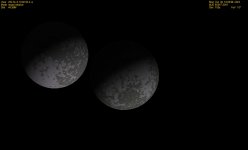
I understand that it is in Alpha and bugs are to be expected, but it should probably work a little better than this.
Well, as it seems it does work a lot better for most people. There will always be instances where unexpected behaviour occurs on certain systems, and it's pretty hard to fix from a distance, so please be patient while we try to figure out what's going on.
I am running it with Orbiter 2010 P1, and I'm using Windows 7 if that matters.
Thanks, that is fine. It was designed for orbiter 2010p1, so if you'd have run it on anything else that might have been a cause of trouble. Windows 7 is what I'm running it on too, so we can exclude the OS as a source of trouble also.
Now, the first thing I would like you to do is to run the standalone .exe file (in your orbiter root directory) and see if that works. If it doesn't, re-install the whole add-on. One thing that would cause such a behaviour as you described even in the standalone could be if there are files missing or damaged, so it could be worth a try to re-download the whole thing. Make sure you have both the add-on installed as well as the patch over it.
If the standalone works, but the plug-in not, try on a CLEAN orbiter install. If it still doesn't work there, we're in serious trouble.
Pyromaniac what's your processor speed?
If it can run orbiter, it can run the map. The loading time is a lot more dependant on harddrive speed than on the CPU, really, because there's about 10 megabyte of data that are read into memory. Even a slow processor wouldn't explain why Orbiter freezes when the map is opened. There's clearly an error occuring somewhere in there, although it seems strange since Win 7 usually notices such stuff pretty well and notifies the user. Pyromaniac talked about a freeze, not a crash, though. Currently I put all my hopes in a damaged file, since that would be the explanation that fits the description best and would be easiest to resolve.
EDIT: Also, good news on that GUI crash. I've isolated the trouble to the tool tip text. Must be a really small glitch within Irrlicht that does no harm as long as you don't run it within another aplication like I do. There's no quick fix in sight, but the tool tip text isn't really an essential feature, so I'm just going to deactivate it...